Showings on Vacant Listings, Without a Homeowner to Approve Them
No seller on-site, no problem. Set a vacant listing to Auto-Approve and buyers or buyer's agents can book a showing instantly — no approver in the loop at all.
Start Free Trial See How It Works
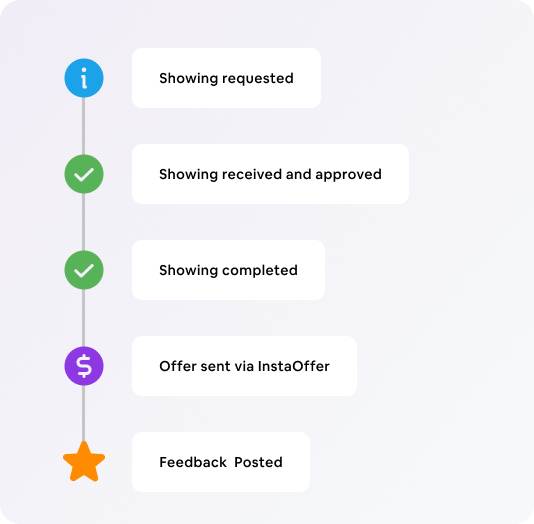
Vacant Listings Don't Need an Approval Bottleneck
❌ The Old Way
- Buyer's agent calls or texts asking to see an empty house
- Listing agent plays middleman for every request
- No seller around to approve, so requests sit pending
- Lockbox codes shared manually, one at a time
- Showings slip through the cracks over a weekend
✓ With Instashowing Auto-Approve
- Buyer's agent picks an open time on the showing link
- Booking confirms instantly — no one has to say yes
- Lockbox/access info released automatically on confirmation
- Listing agent gets notified, not interrupted
- Works the same at 2pm on a Tuesday or 8pm on a Sunday
One Setting Controls Who Needs to Approve

Auto-Approve
Best for vacant listings, new construction, land, and REO/foreclosure properties. Every showing request confirms itself — no homeowner, tenant, or agent needs to click approve.

Approval Required
Best for owner-occupied or tenant-occupied listings. Requests route to whoever you designate as the approver — the seller, tenant, or a manager — before they're confirmed.
The setting lives on each listing individually, so a brokerage can run vacant flips on Auto-Approve and occupied listings on Approval Required at the same time.
Where Auto-Approve Fits Best
Vacant Resale Listings
No seller living there to field requests — buyers book straight off the link.
New Construction
Builders and their agents let buyers self-schedule model home and spec home tours.
REO / Foreclosures
No homeowner to approve at all — Auto-Approve is often the only workable option.
Land & Lots
Nothing to unlock, nothing to schedule around — buyers just show up at their booked time.
Vacant Listing Showings FAQ
How does Instashowing handle a vacant listing with no homeowner to approve the showing?
Set that listing's approval setting to Auto-Approve. Buyers and buyer's agents pick an open time on the showing link and it's confirmed immediately — there's no homeowner, seller, or approver in the workflow at all.
Can I mix Auto-Approve and Approval Required across my listings?
Yes. The setting is per-listing, not account-wide. Run vacant or REO listings on Auto-Approve while keeping owner- or tenant-occupied listings on Approval Required.
Do I still get notified when a showing is booked?
Yes. Auto-Approve confirms the booking for the buyer's side instantly and still notifies the listing agent — you're kept in the loop without being a bottleneck.
Is there a free trial?
Yes. Instashowing offers a free 7-day trial, and you can set a listing's approval type in minutes.
Stop Being the Middleman for Vacant Listings
Turn on Auto-Approve and let buyers book showings themselves, day or night.
Start Free Trial